DNS over TLS
There are famously 3 stages of debugging networking issues.
- It can’t be DNS
- Surely it is not DNS?
- It was DNS
DNS is not something we think of when browsing internet. It usually works fine, and is quite transparent. When connection is slow, it’s easier to blame on wifi / mobile signal, bandwidth issues, or server availability. DNS usually “just works”.
It is however a crucial part of online networking. And a somewhat overlooked part.
Every time when we request a webpage, a domain name has to be mapped to an IP address of a remote server. To do this, the very first request is to a DNS server.
Unlike most web traffic, which is served via https and is encrypted - DNS requests are not. In most cases DNS requests will be plain text, easily interceptable, and are not particularly private. Fair enough, the actual traffic to and from the webpage will be encrypted, but your ISP will likely be able to see every domain you are making requests to. This is valuable data, which can be collected, mined and sold forward.
You can easily test who is in charge of your DNS requests - here’s one test - but you can also search for “DNS leak test”.
Luckily, there are easy ways to plug the leak.
Pick your DNS provider
First off, you are in charge of which DNS resolver your phone or computer are using. It will likely default to your ISP, but that’s easy to change.
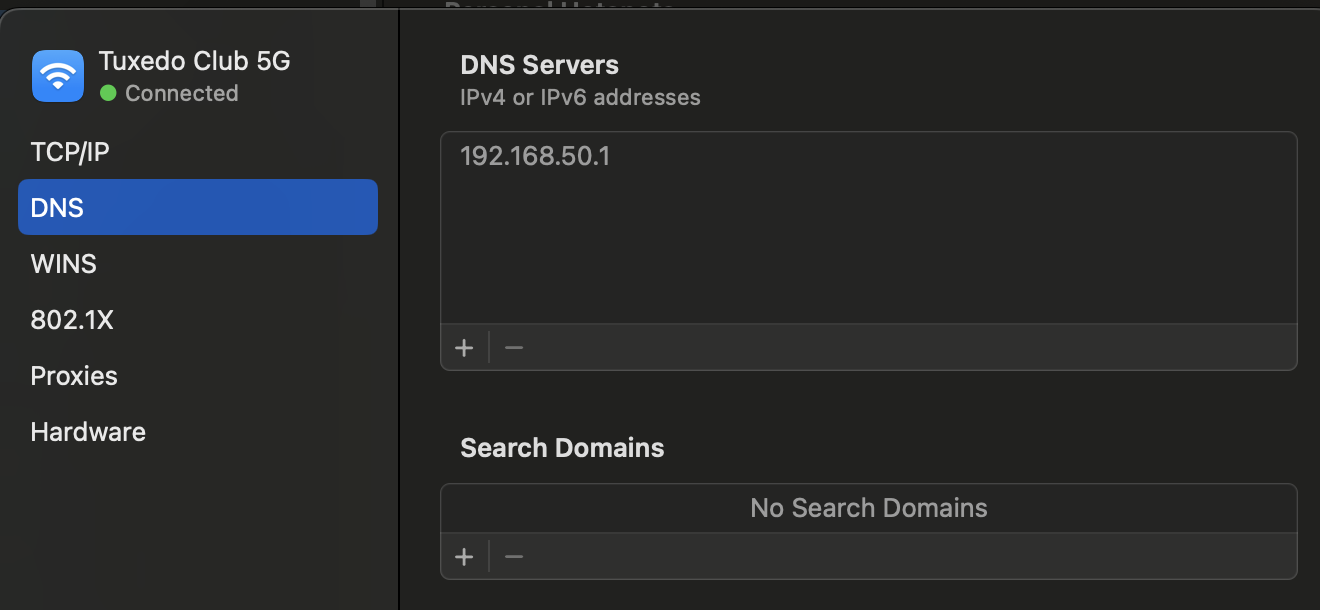
Here’s an example on MacOS. In Network preferences pick the curent connection, and in DNS you can override any pre-existing values with something you trust more.
A few popular options would include:
- Google:
8.8.8.8, with8.8.4.4as a backup - Cloudflare:
1.1.1.1, with1.0.0.1as a backup - Mullvad - contains a number of options depending on your desire to allow all traffic, block ads, or even have a family friendly web filter
You can also host your own DNS server. Pi Hole is quite popular, and you can host it on a Raspberry Pi.
Setting a custom DNS is nice, but your requests are still in plain text. We can do better.
DNS over TLS
A new standard for encrypted DNS requests. A special encrypted tunnel is established and all requests are safe from intercepting.
You would need to find a DNS server that actually supports DoT, as well as find a way to configure your own machine to use it.
Finding a DNS server with DoT support is easy - all 3 providers from above section support DoT natively. You will need port 853 unblocked to be able to establish the secure tunnel - this is a dedicated port for DoT.
Configuring DNS on your machine is a slightly tricker topic. On MacOS you might use a service like stubby. There are rumours about Android supporting DoT natively, but this is something I’m unable to confirm. On iOS devices there’s again no native config, unless you opt into something like iCloud Private Relay, which is technically a whole other product, which also encrypts DNS requests.
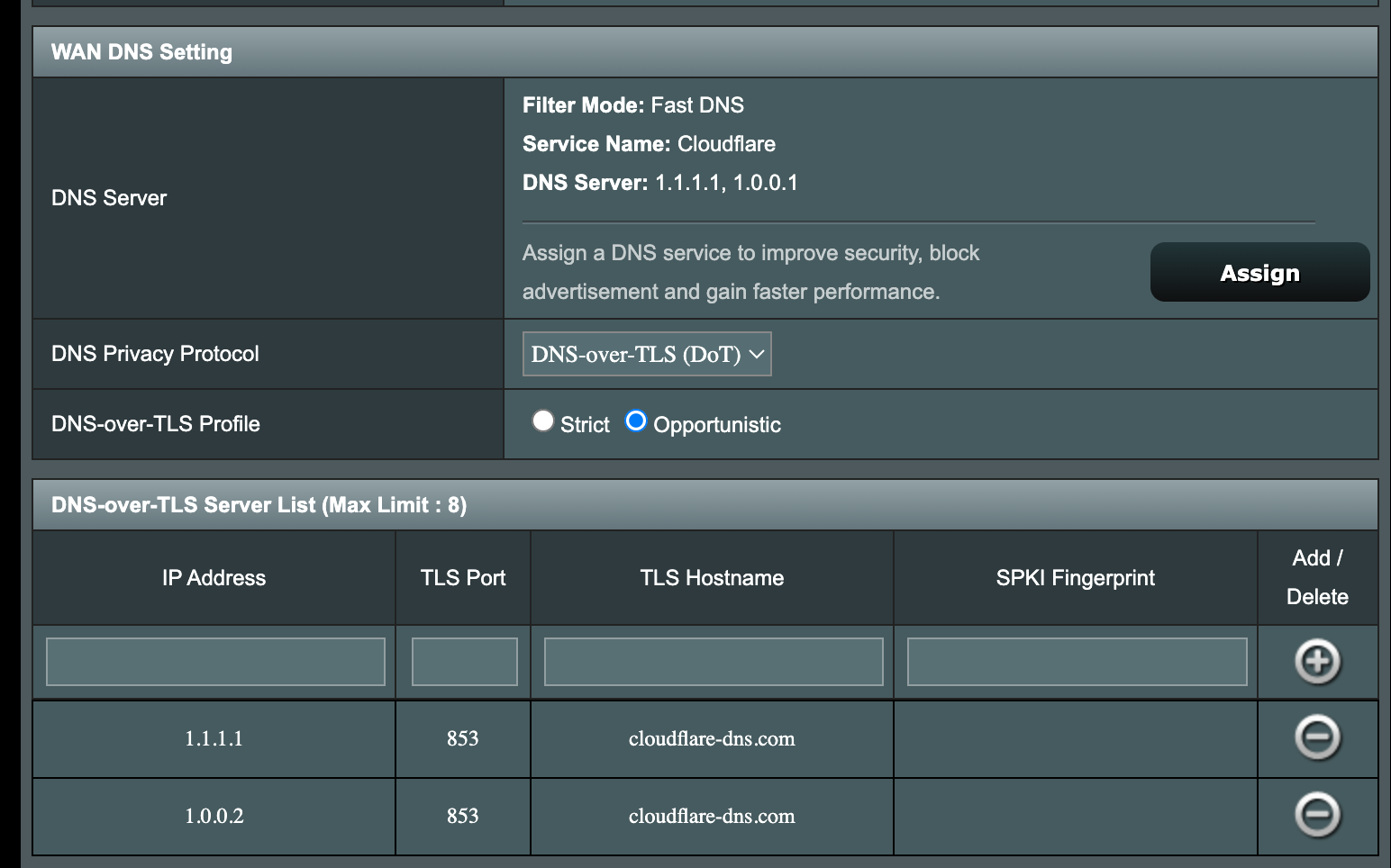
I’ve recently upgraded my home router to one of the fancy Asus models, and it supports DoT natively via admin panel. It is very handy, easy to set up, and all devices that are on my home network are now automatically using DoT.
Since DoT entirely relates on port 853 being available, it is also quite easy to block it on ISP level. If this is the case, there is another alternative, called…
DNS over HTTPS
No need for a dedicated 853 port - all DNS requests are run over the usual HTTPS protocol.
Both Firefox and Chrome support this, however Chrome is somewhat conservative on this, does not override system DNS settings, and doesn’t particularly insist on DoH. Firefox on the other hand has DoH enabled by default, and has been somewhat anthagonised for this privacy first approach.
Blocking DoH is difficult, since it does not require a dedicated port, and HTTPS traffic for DNS would look like a normal web traffic.
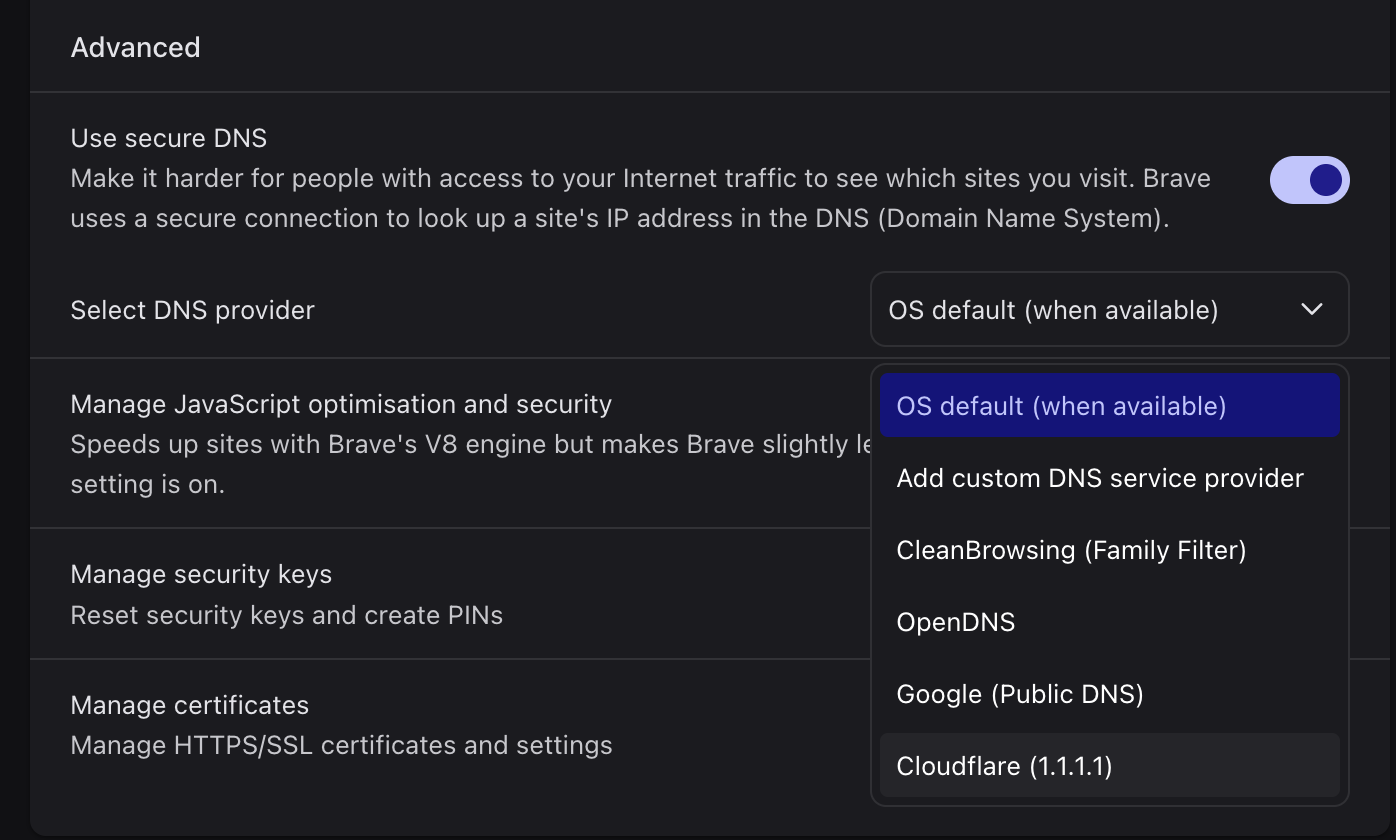
Enabling DoH on a browser level is easy - just go to the browser settings. However if you’d like to have it on a router level, looking at my Asus admin panel, doesn’t seem to be supported at all. DoT only.
Why this is still not as popular as HTTPS?
There was a time when all of web traffic was over unencrypted http. You’d still login to websites, and your password would be sent as plain text over the wire. Facebook already existed, and only around 2011 browsers started to push for a more encrypted standards. Google actually were sort of good guys, prioritising https websites in search results and auto-redirecting to https in Chrome when a website offered that option. By 2015 most of websites were using https, including static blogs - reason largely being that big browsers started showing big red warnings when you’d attempt to load a “legacy” http only website.
This hasn’t happened to DNS yet. Most DNS requests today are still unencrypted, and most users would use whatever DNS server their ISP would provide by default. Which is usually the ISP’s own DNS.
This is partially related to the power that a DNS provider has over the traffic. You are very much in a position to block websites, or redirect literally anywhere else. Many countries today have laws requiring ISPs to block certain websites from access. The blocking almost always happens on the DNS level.
A decent VPN provider would actually tunnel all of web traffic, including DNS requests. If you are a VPN user - most of us are these days - you are all set. However, VPN is something you’d switch on when needed, and not keep it running all the time.
DNS also would be the place for efficient ad-blocking and preventing user tracking. It is an uphill battle, as ad tech becomes more sophisticated, but it is a great tool in many scenarios.
And it is fascinating how all of the internet still relies on the tech that was largely invented 30 years ago, and hasn’t changed much since.