Sandboxing Claude Code on your machine
Running an agent like Claude Code on your primary machine is highly dangerous. In a perfect world we’d have cloud instances with dev environments, where you’d run an agent async and occasionally check-in on the progress. Worst case scenario we’d re-create another cloud instance.
However running an agent on your primary machine is highly convenient. In the history of software development we’ve tried multiple times to have virtual dev machines where the work would happen. Every time developers voted to just use your machine with little or no virtualization.
Running Claude locally is mostly ok, and honestly they are making it safer with every new release. It is now supplied with multiple permissions models you can rotate through, ranging from read-only mode that asks for your permission at every step, all the way to “bypass permission” - aka full yolo mode.
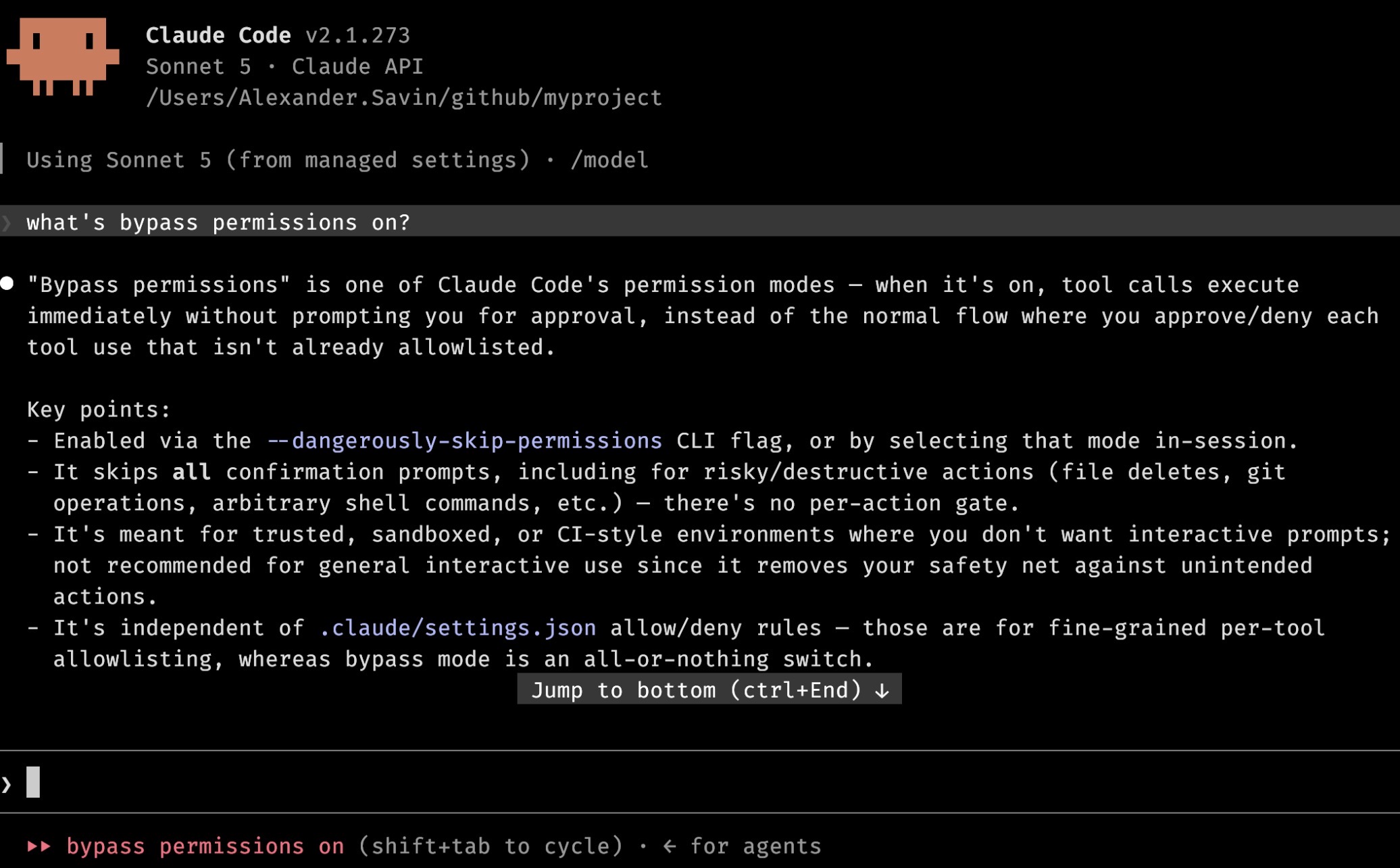
Even when an agent would ask for your permission at every step, asking you to review every command and every action, this very quickly becomes routine and you end up just pressing enter, enter, yes, enter. Getting into this repetitive routine is dangerous. When proposed actions gradually become more complex, you’d simply continue approving them without full comprehension. I mean, it worked fine until now, what’s the worst that could happen?
Also once you get into routine, this mostly sucks all the joy from the job. I don’t believe the work of an engineer is to press one button all day long. We are suppose to solve complex creative problems.
Sandboxes
Yes, let’t talk sandboxes.
First off, Claude Code brings its own sandbox to the office. It is not nothing, and will likely get improved more and more. In the future this will likely be the only sandbox we’ll need.
Today however it has multiple flaws. One of which is retrying a command that failed because of sandbox limitations with dangerouslyDisableSandbox parameter. This sandbox is provided, but with no guarantees whatsoever.
Again, I’m sort of convinced that eventually this will be the default sandbox at some point, just not today.
What are the options today?
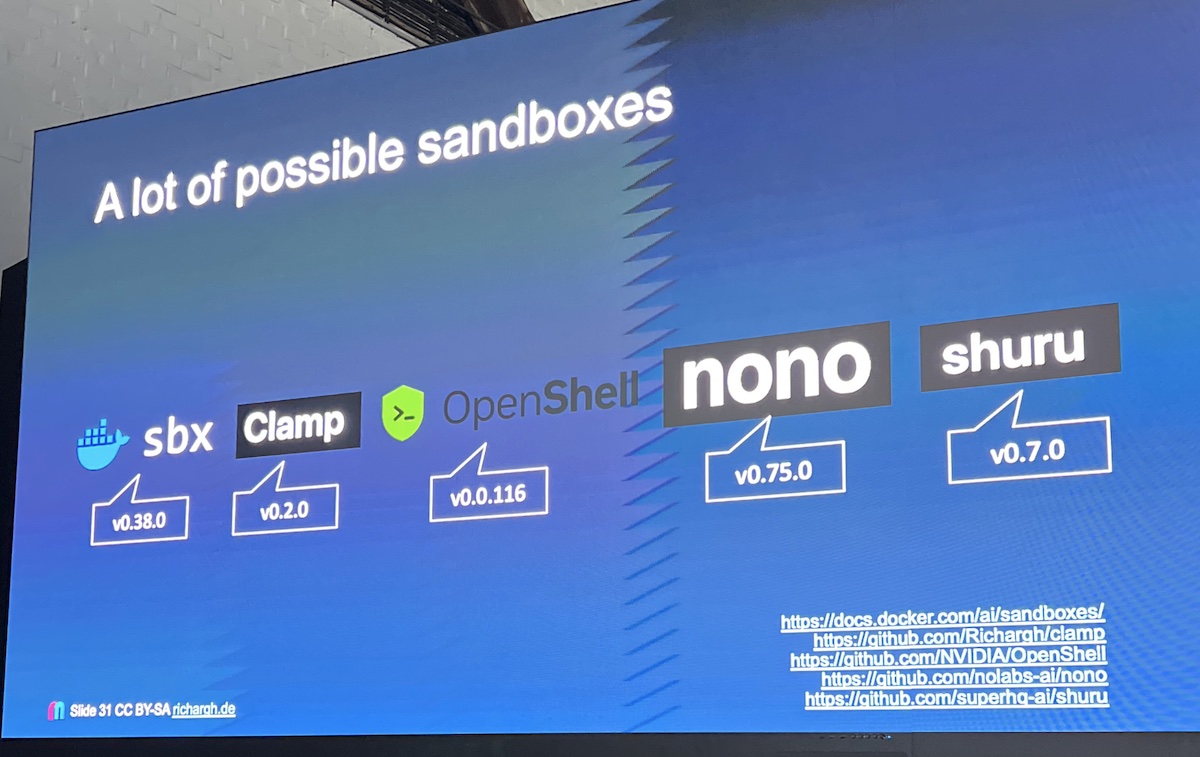
This slide is from a recent talk by Richard Groß listing a number of options, all of them are interesting in their own way.
- NoNo - uses OS native sandboxing on MacOS, Linux and Windows. No containers, no daemons, just plain OS capabilities.
- Clamp - uses a plain Docker container
- Both Shuru and Docker SBX are using MicroVMs - tiny VMs with dedicated kernels per instance
- Finally NVidia OpenShell allows you to pick and choose your isolation approach, being it a proper VM, a microVM, a Docker container or a Kubernetes cluster
The problem with plain Docker containers is that they all share the same kernel. If hypothetically an agent manages to break out of its container enclosure, it will have access to all other containers where you might be running your databases with sensitive data, or who knows what else. We don’t want that. We want isolation.
This leaves us largely with a proper VMs or microVMs. The latter option is particularly interesting. A microVM is still a full virtual machine, completely isolated, with its own kernel, however largely stripped of all the unnecessary parts, allowing it to boot very quickly. We are talking 0.1s to boot up a microVM. This is still 10x slower than a Docker container, but also 100x faster than a full-fledged VM.
But would it still make developer experience clunkier, and if so by how much? I’ve been playing with Docker SBX for a few days now, so here are some impressions.
Docker SBX
Worth pointing out some immediate limitations:
- Only ARM CPUs are supported, at least on Macs
- Will require a Docker login
Otherwise it is a free product - at least for now, and commercial usage is explicitly allowed.
Once installed, sbx run claude creates a new sandbox. It provides a nice terminal UI to keep track of the current sandboxes.
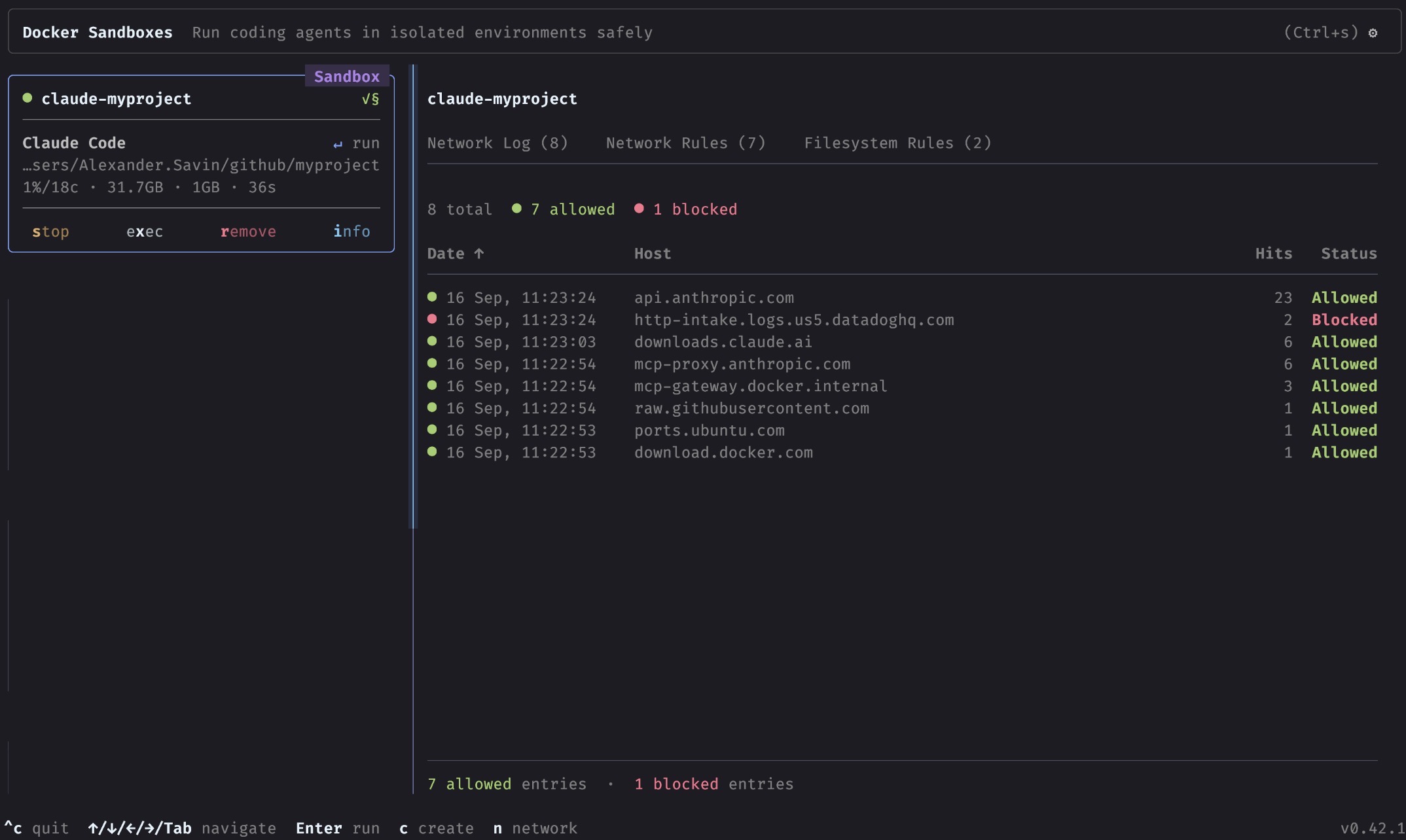
Claude Code is run in bypass permissions mode by default. This makes total sense, since the worst that could happen is deletion of the versioned files in your work directory.
I’ve never experienced Claude in that mode, as it felt way too dangerous to run without a sandbox. It is amazing. No more constant questions - you set a direction, and Claude works towards it, while reporting on progress. You can still interrupt it at any point, but otherwise this feels as the future.
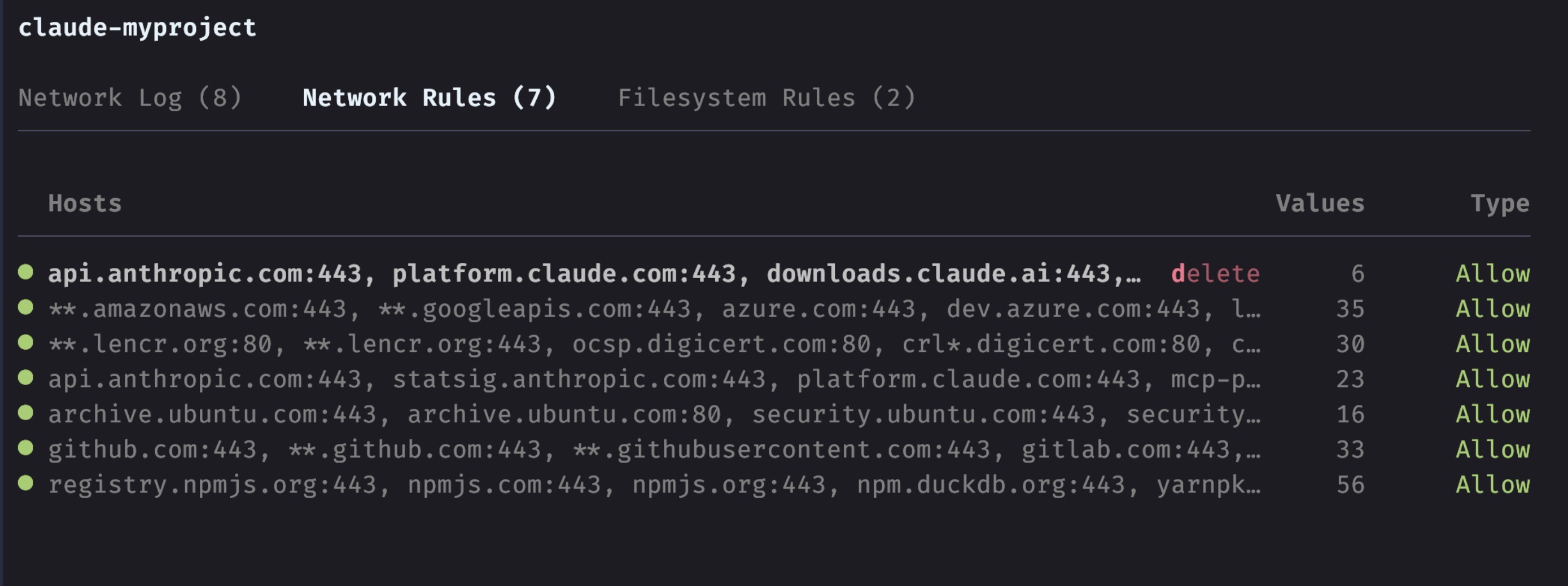
Network rules are supplied by default, with some reasonable traffic filtering. All connection requests will show up here and you can add more exceptions and allow or block particular domains.
There are also filesystem access rules. Since we are in a sandbox, those are very permissive and allow read/write across all files in that box.
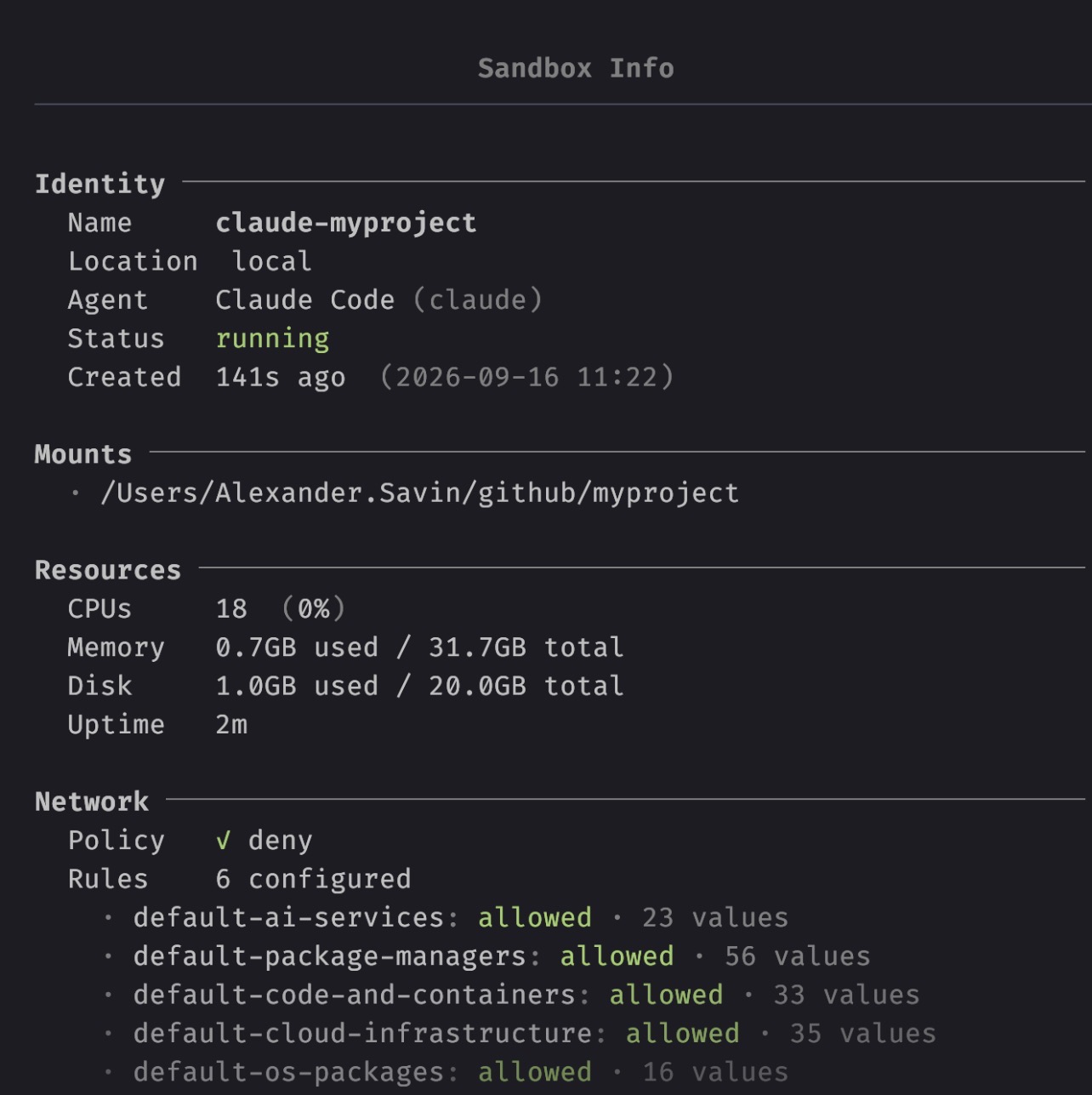
Disk space is limited to 20Gb by default, and RAM is what you have on your machine. All configurable if needed.
There are a few options regarding Git workflows, the default one being direct mode - all file changes are directly mirrored to your files outside of sandbox. You are still free to manage branches and git versioning. Alternatively, there’s clone mode - a separate git repo is cloned inside a box.
Worth noting that git via ssh doesn’t work well with this sandboxes. As you can guess, SSH requires keys, which are highly sensitive and are not picked up from your machine into a sandbox by default. I guess you could make it work, but an easier alternative is to switch git remote to https. This way Claude is once again capable of iteracting with git remotes, and for pull requests there’s gh cli.
Once created, sandboxes are persisted and can be stopped and started as you’d normally do with Docker containers.
Performance wise I haven’t noticed any differences compared to running Claude Code natively. MicroVMs are fast and seemingly well supported by now.
Takeaways
Claude Code in bypass permissions mode is nice. It is very nice. I’d like to keep using it in this mode. If the cost is having to spin up a sandbox every now and then, that’s ok with me. I hope they’ll keep developing SBX, fix the bugs, make it more robust and, of course, keep it free for us all.